
In the room
Climate beside the light.
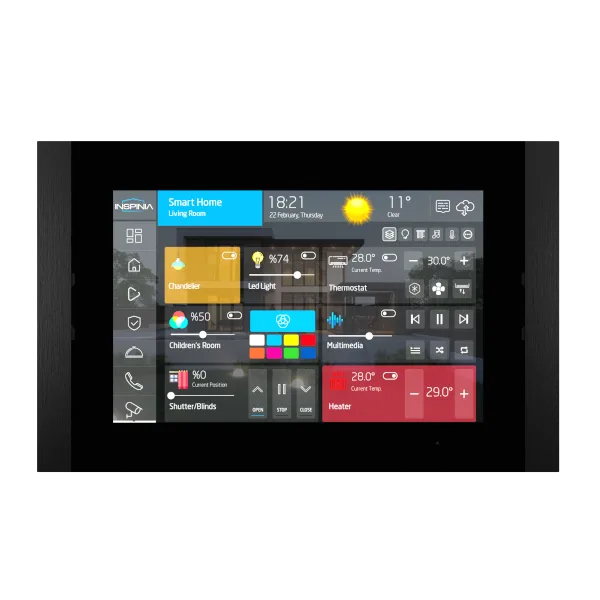
Setpoint, mode and fan on the same screen as lighting, shading and scenes — and in the app, from anywhere.
The mobile app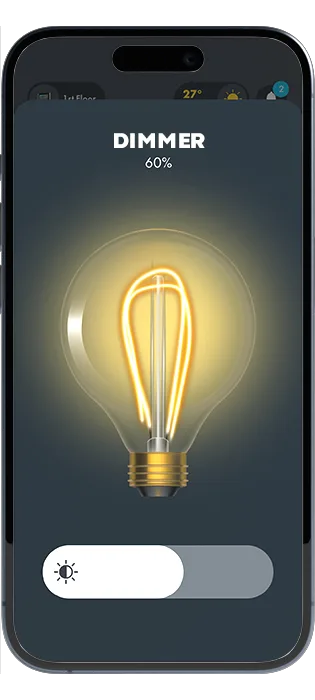

Solutions · VRF
Solutions
Climate is the control people touch most. It should not need its own remote on the wall.

Each indoor unit is its own zone: setpoint, mode and fan, per space.
Comfort held with the compressor doing less, because the system knows what is occupied.
Indoor units reach the panel and the app the same way, whatever sits on the roof.
01In the rack
A gateway from the servers and gateways range sits between the VRF system and the platform. The panel sees rooms, never equipment.
Servers and gatewaysIn the room
Setpoint, mode and fan on the same screen as lighting, shading and scenes — and in the app, from anywhere.
The mobile appHow it works
The VRF add-on speaks to the system’s sensors, actuators and controllers, so temperature and airflow are set per zone from the panel, the server or the app rather than from a proprietary remote on a wall.
VRF topology
Every indoor unit on one interface, with the whole estate visible at once.
Live readings adjust the plant automatically, and the running cost falls with it.
Climate managed from anywhere, in real time, at full resolution.
VRF solutions
Temperature set and held per unit, not per system.
01
Heat, cool, dry and fan speed exposed where people actually stand.
02
Setbacks by time of day and day of week, applied across every zone at once.
03
Sensors and contacts drop unoccupied rooms back to a limit instead of holding them.
04
Range limits and local lockouts for rooms that should not be argued with.
05
Unit errors surfaced on the same interface as the room, before anyone calls.
06
Capabilities
Indoor units presented per room, not per address.
One scene sets light, shading and setpoint together.
Rules run on the device. Losing the cloud does not lose the room.
Projects, licences and monitoring in one place, per site.
One interface on the panel and in a browser. Built, not drawn twice.
The same system in a pocket, for everyone who needs it.
The system, the indoor unit count and the panel sizes. We reply with a specification.